Exploration-first design
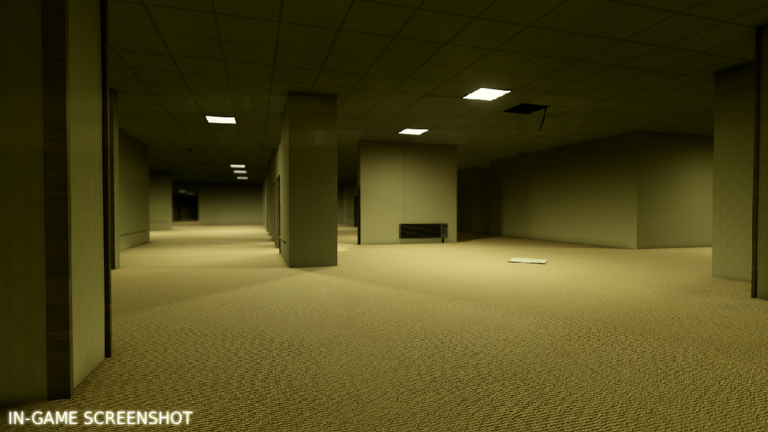
The official description calls it exploration in endless hallways, so route memory and observation are the guide core.
First Session
Use this route to avoid wasting early progression time.
This beginner route is written for a player who just opened Unseen Liminality and wants clear next actions without fake item lists. It starts from confirmed mechanics, then turns them into a practical session plan.
The official description calls it exploration in endless hallways, so route memory and observation are the guide core.
Q settings, C crouch, Shift sprint, V zoom, and Ctrl mouse lock are official description controls.
The official page recommends max graphics for best experience; guide pages should mention performance tradeoffs.
Objectives, entities, and content are marked as coming soon, so the wiki must distinguish current facts from future plans.
Inventing entity behavior before it appears in-game or official notes.
Playing too dark or too low detail and missing hallway cues.
Sprinting constantly and losing orientation.
Treating beta unfinished areas as bugs in the guide without context.
Video Guide
Embedded for players who want to compare the written guide with live gameplay. Use the wiki text as the verified checklist and the video as practical context.
Open on YouTubePractical Playbook
Use the beginner guide as a first-session route. The goal is not to min-max immediately; it is to learn the core loop, avoid wasting resources, and recognize when the next page becomes useful.
Open the official Roblox page first and check whether the title banner or update date changed. If it did, treat old codes, rankings, and route claims as suspect until they are tested again. For Unseen Liminality, pay special attention to Exploration-first design because it anchors the rest of the wiki.
Keep one goal for the session: unlock a route, test a build, verify a code, find a secret, or compare a strategy video. Do not change three variables at once. If Controls affects the result, write that down before judging the method.
Record what actually changed: reward gained, zone reached, boss defeated, secret found, code accepted, or mechanic disproved. A useful wiki grows from repeatable notes, not vibes. Anything that cannot be repeated should stay in the research backlog.
The next best additions are exact names, unlock sources, reward amounts, and dated screenshots or videos. For now, this page publishes practical guidance and marks uncertain systems clearly so players are not sent chasing fake details.
Research Base
This wiki favors verified mechanics over filler. If a fighter, unit, weapon, pet, secret, entity, faction, skill, or code cannot be tied to an official page, in-game confirmation, or exact-match guide evidence, it is treated as unverified.